Features
Every capability in one place, grouped. Where a feature has a limit, we say so in place rather than in a footnote. The permission model is detailed on the access control page, and getting into the target network on the network access page.
Connecting
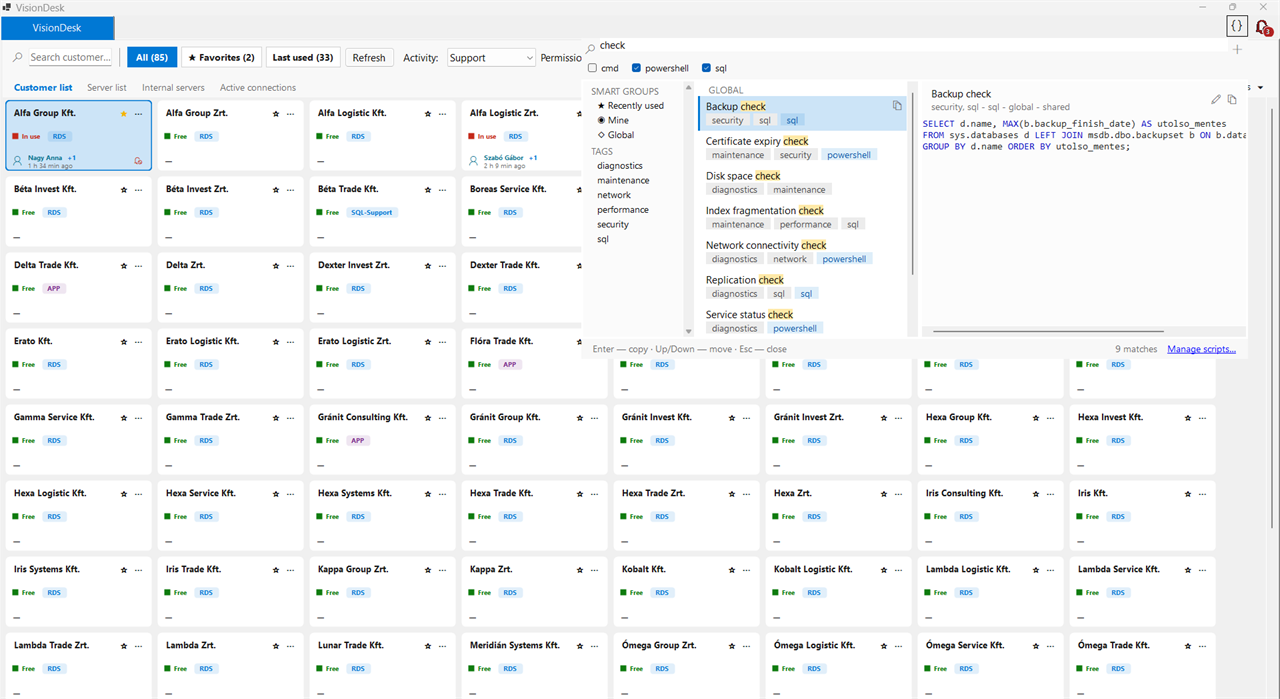
- One-click customer tile view
- Activity picker with a saved default
- Automatic resolution of server-type priority, skipping busy targets
- Favourites, filter chips, customer aliases and instant search
- Search that starts as you type, with no click first
- Full server list in a tile or matrix view, saved per user
- A virtualised tile canvas that stays smooth across hundreds of targets
- Privilege level selection for users with more than one level in scope
- Multiple concurrent sessions in tabs, windowed or full screen
- Header bar with server name and “move to next monitor”
- A tab menu for the running session: handover, “Keep alive” and reporting a problem
- Manual credential card with jump server suggestion
- RDP profiles: RD Gateway, resolution, redirections
- Sessions routed through a jump server
Coordination
- Locking at credential level, with a lease
- Heartbeat monitoring, and automatic release of stuck locks with a log entry
- Per-server concurrent session allowance and upper limit
- Green and red availability with the holder's name
- Active and idle time measured separately
- Release subscriptions with three notification modes
- Notifications: released · waiting for you · handover
- Session handover to a chosen colleague
- Administrator forced release
Permission model
- Group-based, four-layer access evaluation, with named credentials
- Group-level Allow and Deny on a privilege level: this is what separates domain-admin rights
- Access decisions from the zone matrix, with four grades: Denied, Approval required, Justification required and Free
- Pre-approved time windows and revocable grants: see the access control page
Secret handling
- Pleasant Password Server with a read-only service account
- Built-in AES-256-GCM encrypted store
- The source can be chosen per target
- The client never receives a vault token
- Secrets never reach logs, error messages or persistent files
- Weekly automatic test for expired passwords
Script library
- Shared, tagged library for SQL, PowerShell, cmd and more
- Search palette: filter by name, tag and language, several tags at once
- One click or Enter: the script body goes to the clipboard verbatim
- Team-wide or private, global or tied to one customer
- Duplicate detection by normalised name and body
- Syntax highlighting and editing from the preview
- VisionDesk does not execute scripts; it only stores them and copies them to the clipboard
Failure handling
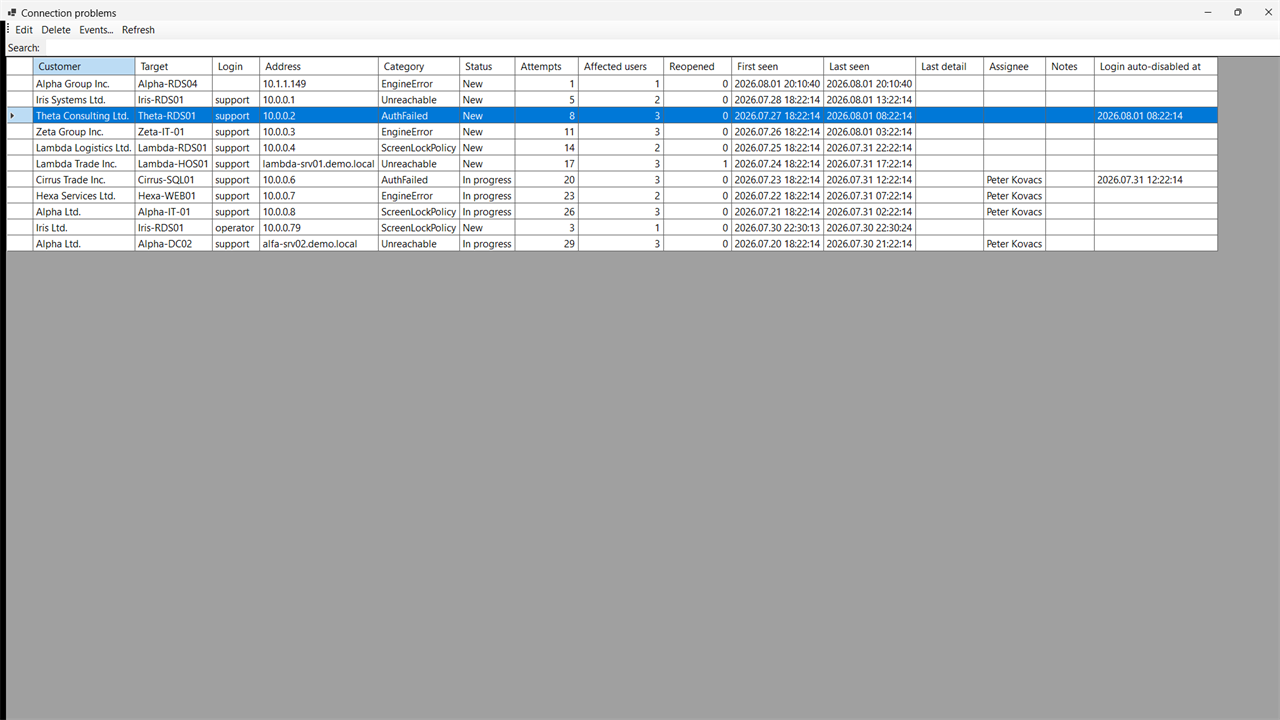
- Automatic capture of failed connections: error code, message, network probe, client host name
- “Report a problem” from the running session, with the user's own note
- Four failure classes: unreachable target, credential that does not work, failed jump-server route, locked remote screen
- Merged admin worklist with status: New, In progress, Resolved
- Attempt count, affected users, owner, last seen
- A recurring fault reopens the existing item
- The weekly credential test feeds the same worklist
- The cause of a failure also shows in the user's own “Where I have been” log
Audit and reports
- Audit log with configurable retention: 24 months by default, configurable up to five years or more
- Snapshot of the login role and domain on every event
- Active and idle time, linked request number
- Where I have been report, active sessions view
- Audit log browser with filters, CSV export
Administration
- Built-in admin UI inside the client, permission-gated
- Per-screen help in the admin UI, in English and Hungarian
- Customers, activities, server types and priorities
- Connection targets and credential references
- Permission groups and the four access layers
- User accounts with display names taken from AD
Operations
- The broker is a standalone Windows service without IIS, and can run under a gMSA account
- Schema migration on startup
- Health endpoint for monitoring
- Authenticode-signed client, run from a network share with no local install
- Automatic client updates and minimum version handling
- English and Hungarian interface, switchable per user